
A photo after a walk, information to collect before a stay, a boarding space to assign: small tasks take up a meaningful part of a dog trainer’s or centre’s day. The petslab.it update for 15 November 2026 brings together features released from 8 to 15 November to help manage these tasks in the same app.
Pet Sitting photos and videos in the private client area
During Day care, Boarding or Pet sitting, send owners updates with text, photos and a short video. Prepare them from the stay page or its calendar panel, choosing the dogs the update concerns.
An update can contain up to six items, including at most one video of up to thirty seconds. Choose from your gallery or use the camera. Quick phrases for meals, walks and rest give you a starting point that you can edit before sending. iPhone HEIC photos are now also supported in the app’s other photo uploads.
Owners open updates in the client area, see updates intended for their dogs and can download photos and videos. Communication is one-way: clients cannot reply from this section. Messages and files do not appear on public pages.
Send updates during the stay’s dates, or on non-cancelled visit dates for recurring stays. Updates are retained for thirty days after the stay or individual recurring visit ends, and for at least thirty days after sending, then automatically deleted. Encourage owners to download anything they want to keep.
Email alerts require the client’s Email preference; push alerts require permission on their device. Alerts are grouped rather than sent for every photo. The feature is available on all plans, subject to the operator’s permissions.
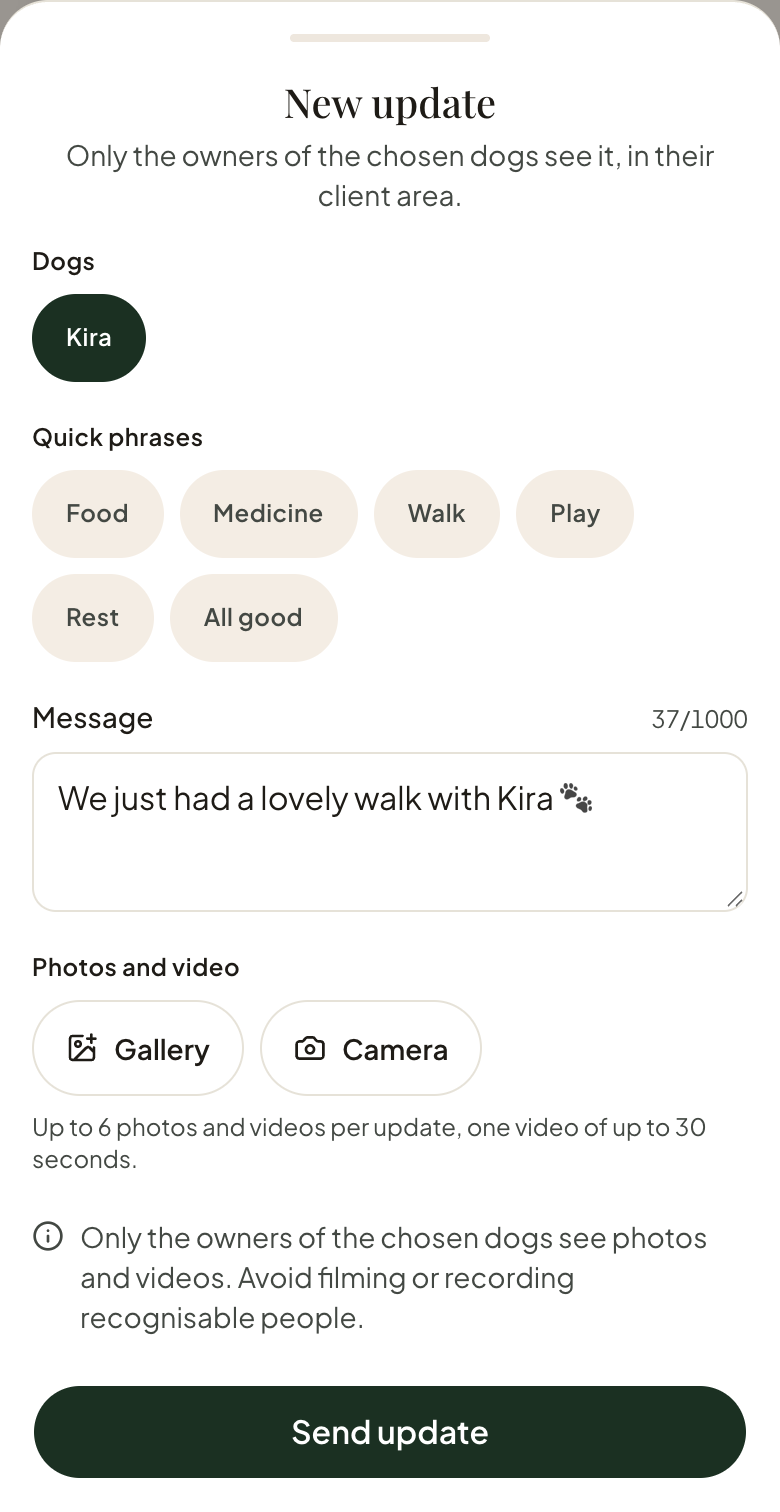
Preparing an update in the app with fictional demo data. The update has not been sent.
Dog forms that owners can complete themselves
Assign several forms to the same dog, such as one for training and another for boarding, each based on your template’s questions.
Clients find pending forms in their private area and can complete them there. You can also enter the answers yourself. The dog’s record distinguishes pending and completed forms. Cancel a pending request when it is no longer needed; deleting a completed form requires confirmation because it removes the answers.
Email reminders are available for outstanding requests, only for clients who have chosen that channel. For example, assign a boarding form before arrival so you can review feeding, habits and the other information you have chosen to collect. The guide to dog records for trainers explains how to choose useful questions.
Private attachments in client records
The new Attachments section stores PDF files and JPG, PNG or WebP images, up to 10 MB per file. Add a title, open files and download them alongside the client’s details.
These files remain in the business workspace: they do not appear in the client area or on public pages. Team members need Client read permission to view them, edit permission to upload and delete permission to remove them. Use the section to keep documents received from an owner next to their record.
Centres: boarding spaces and day-care availability
The Centres plan lets you configure spaces, set their capacity and review occupancy by day or week. Reservations account for the dogs and stay intervals, with a capacity check when saving.
The assigned space also appears in the calendar. A space is required for Boarding when space management is available to the business, and optional for Day care. The Pet sitting type does not use spaces.
The stay page also separates viewing from editing: review the details first, then open Edit when needed. The guide to organising dog day care and boarding stays covers arrivals, departures and recurring visits.
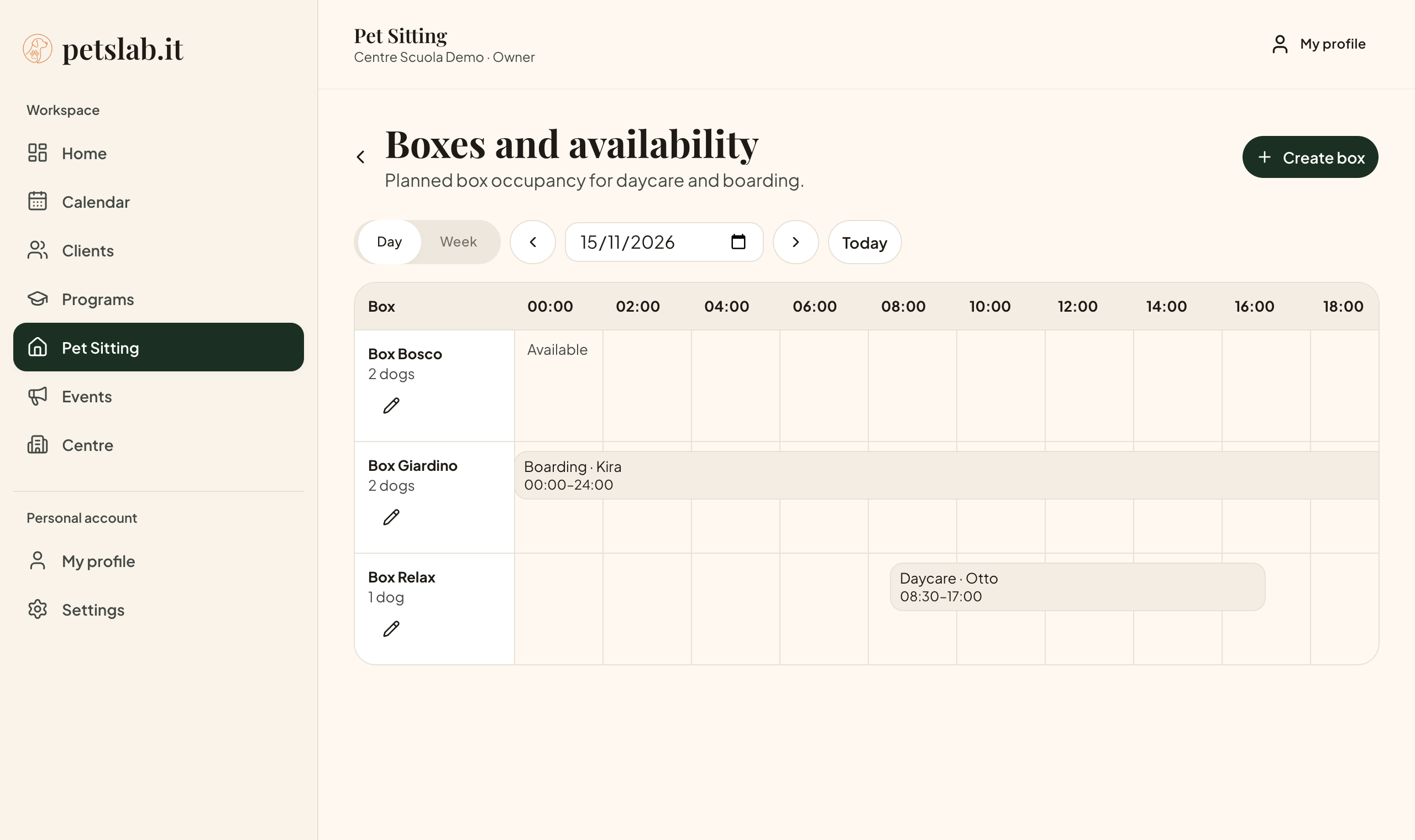
Box availability in the Day view. Business, box and dog names are fictional demo data.
Association memberships: renewals and expiry dates for Centres
If your business manages association memberships, enable membership management under Centre → Configuration. Choose validity as a number of months from renewal or a fixed annual expiry date.
Record renewals and view membership status in the client record. Cancel a membership while keeping its dates and client details, or renew it to reactivate it. Programme warnings help you check participants without blocking enrolment.
With the feature enabled and an active Centres plan, clients who have chosen Email receive one reminder during the thirty days before expiry. The centre does not receive a separate alert, and cancelled memberships receive no reminders.
One client sign-in for several centres, clearer team navigation
Owners whose email address is recorded at several businesses can now sign in with one email code and select a centre in their client area. Each centre’s records, activities and preferences remain separate. If another business adds them later, they must request a new code to include it in their access.
In the trainer app, the personal profile, individual business configuration in Settings, and the Centre section have clearer destinations. The header identifies the selected business, and collaborators see sections allowed by their role. Subscription stays in Settings and is available only to the business owner.
You can also create and edit programmes from the calendar. Client records warn when an email address or phone number is already used within the same business, helping you check possible duplicates.
Getting started: a fourteen-day trial and an updated Free limit
New owners can choose Pro or Centres and try the plan for fourteen days from email confirmation, without a payment card. Renewal must be explicitly enabled; otherwise, the business moves to Free when the trial ends, keeping its data. Existing complimentary grants retain their assigned expiry dates.
The Free plan now allows three distinct active dogs: dogs linked to unarchived, unfinished programmes or unfinished Pet Sitting stays, including future ones. Each dog counts once, and events are excluded. Client and dog records have no numerical limit.
If you exceed the limit, your data is retained and you can manage dogs already active; only activating additional dogs is blocked. Pro and Centres have no active-dog limit.
To try an update in your current work, open a stay and prepare an owner update, or assign a dog form to complete before the next arrival.